
Moderator Guidelines
Thank you for agreeing to serve as a moderator for ISMRM! Your participation is key to the educational and scientific sessions. Please help us to engage all attendees in the Q&A.
In general you moderate sessions with one other person. We request that at least one of you bring an electronic device that enables you to use ECHO (e.g., laptop or iPad). The moderator tools in ECHO will allow virtual attendees to ask questions and enable live schedule updates in the program if a speaker does not show.
This guide provides general directions for moderating, specific notes for moderating a Guided Discussion, and a guide to the moderator tools in ECHO.
Moderator Responsibilities
- In the 5-10 minutes prior to the start of the session, meet the presenters in the session room to ask them to sit in the front of the room and ask how to pronounce their names.
- Make announcements:
- Introduce the session;
- Ask the audience to take their seats and silence their phones;
- Ask the speakers to be mindful of their time and to stay for questions;
- Note that the livestream has an approximately 45-second delay to the virtual attendees.
- Adhere to the time schedule. Please use the moderator tools in ECHO to keep track of time and indicate any changes to the schedule.
- Speaker No-Shows:
- Educational Sessions: If a speaker does not show up for the session, still maintain the timing of the presentations. You can use this time to take any questions from the previous speakers or announce a break to reconvene at least 5 minutes prior to the start of the next presentation. Please reconvene a few minutes prior to the start of the next presentation to provide time for the audience to take their seats and lessen distractions for the next speaker. In the event that more than one speaker is a “no show,” announce another similar break during that missing speaker’s presentation time.
- Scientific Sessions: wait for a minute (less if it is a Power Pitch or Flash Presentation) and move to the next presentation. Please indicate this in ECHO.
- Ensure that all speakers provide verbal and/or projected financial disclosures (or lack of relationships) unless this is a Power Pitch or Flash Presentation.
- In the event that a speaker does not disclose their financial relationships (or lack thereof) prior to the beginning of their talk, interrupt their presentation and ask them to do so. If this transpires, please note the occurrence(s) in your Moderator Evaluation form in ECHO.
- Direct questions after each presentation, asking questioners to keep their comments as short as possible. Please explicitly state that everyone is welcome to ask questions. We want to encourage questions from trainee attendees. If there is a language moderator, or a volunteer in the room, they should assist with translation between the speaker and questioner as needed.
- Help to rephrase a question if the speaker did not understand the questioner. If there is still no understanding, then suggest that the speaker and questioner can discuss after the session.
- Regularly check the Q&A on ECHO for virtual attendees questions and relay those to the speakers.
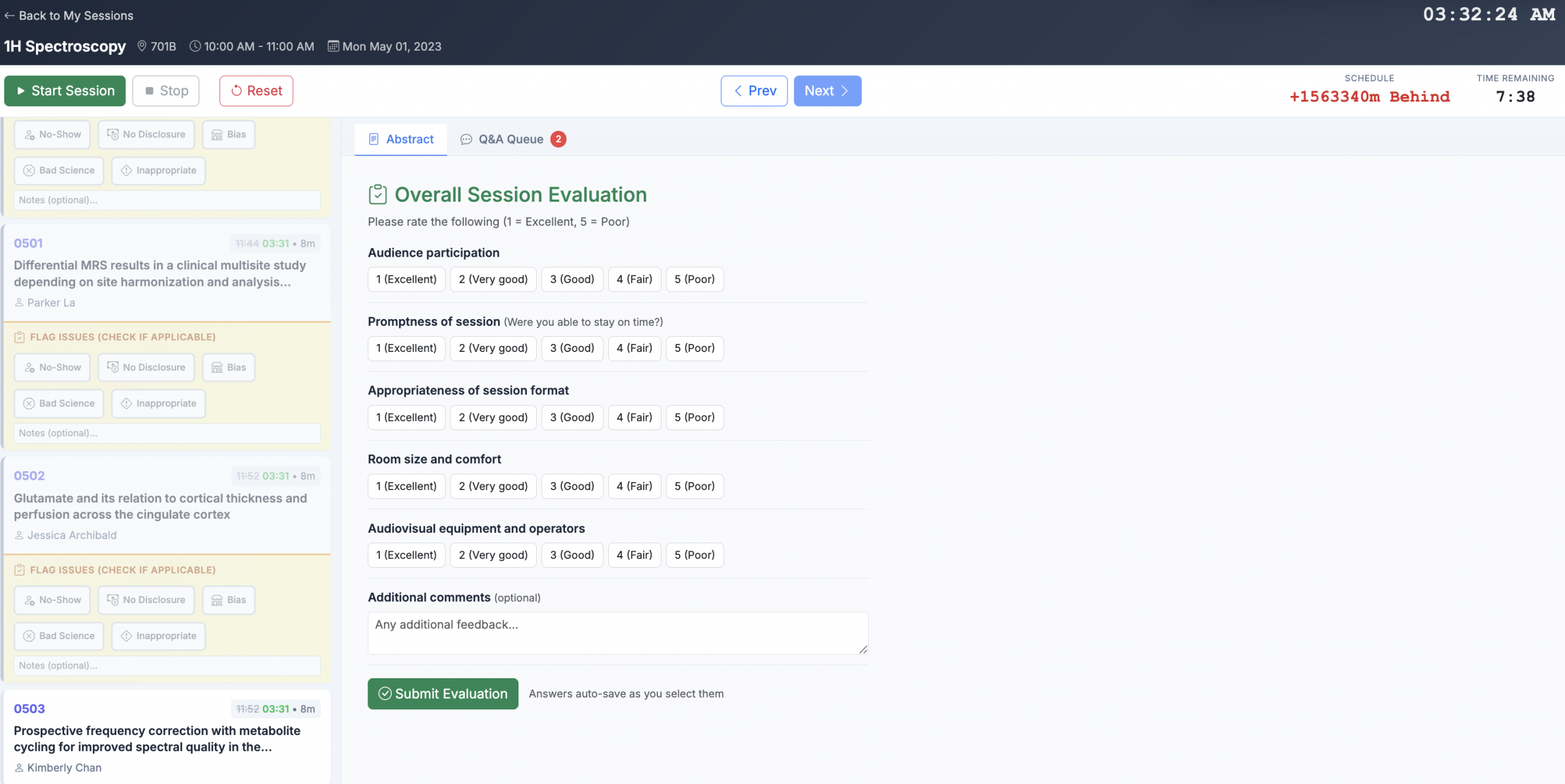
- Complete the moderator evaluation form after the session. Either complete the form left on the desk and return to ISMRM staff or complete the form via the moderator tools in ECHO. This is required for accreditation purposes.
Guided Discussion
These are suggestions for moderating a Guided Discussion. Some of the tips provided here apply to moderating any session.
The purpose of a Guided Discussion is to:
- Engage a broader audience in the discussion
- Be inclusive of all presenters in the discussion
- Provide some context for the scientific advances presented
- Invite commentary from the audience on the impact of methods and new directions
- Be fair and objective to presenters, enabling them to feature their work
A Guided Discussion is an open forum for Q&A across the previous talks in the session, and it is scheduled for 11 minutes. You can use this time to ask questions of specific speakers or to ask questions that synthesize the material presented in the talks. Please prepare questions ahead of the session. Possible question topics include:
- Overall application or impact of the presented work
- Remaining challenges in the topic area
- State of the field and how it has advanced
- How different methods compare
You may upload slides to support the guided discussion (similar to uploading an Oral presentation via ECHO). However, any slides should be limited to discussion questions/topics and should not contain images or results of any sort. Slides are not required for the guided discussion.
We suggest that you invite the session speakers to the front of the room so that they can easily access the microphone to respond to questions. You are also welcome to reach out to the presenters in the week before the meeting for either an email introduction or a zoom call to discuss possible questions.
Please note, moderators should be very careful if presenting or promoting their own work in the discussion. Unreasonable promotion will be obvious to attendees, who will likely report this to the ISMRM.
Moderator Tools in ECHO
To find the moderator tools, log in to echo.ismrm.org , and go to My Conferences. Select My Sessions under the Cape Town – 2026 ISMRM-ISMRT Annual Meeting and Exhibition. Within the My Sessions page, you will see any sessions for which you are the moderator.
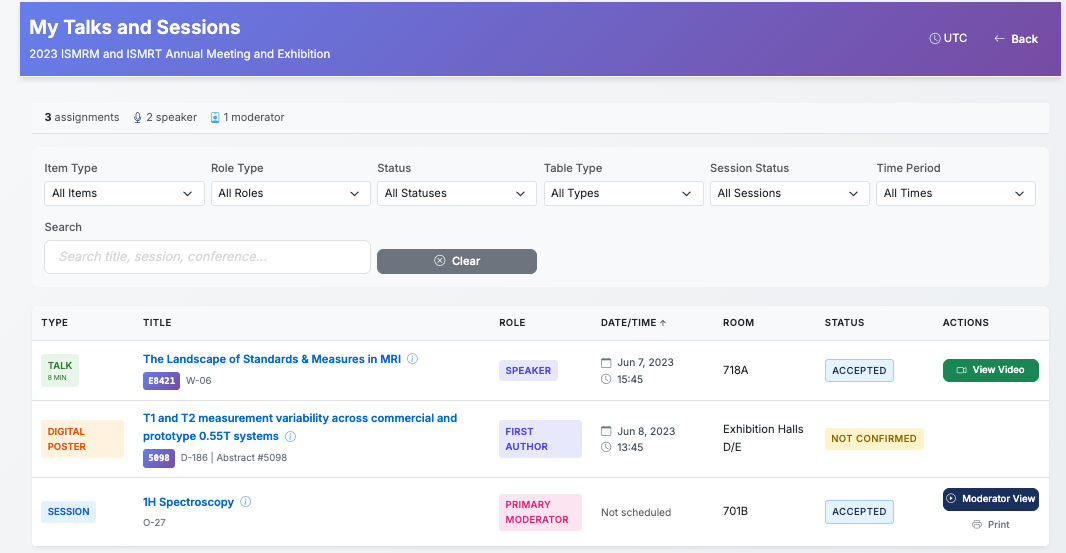
Select Moderator View to open the Moderator Tools.
First, you will need to complete the Moderator Agreement. Then, you’ll progress to the session view.
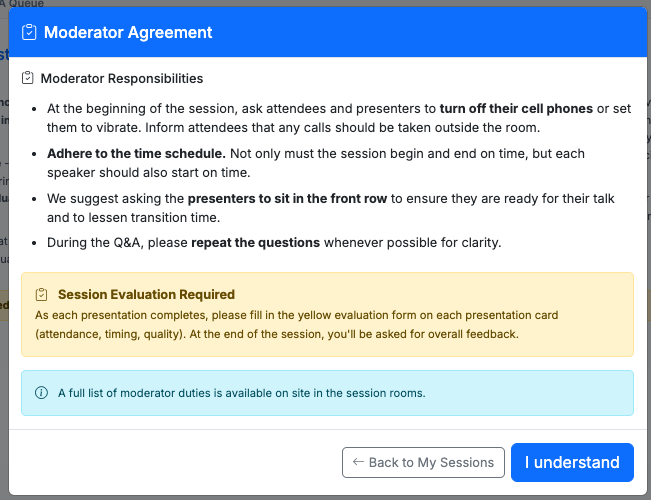
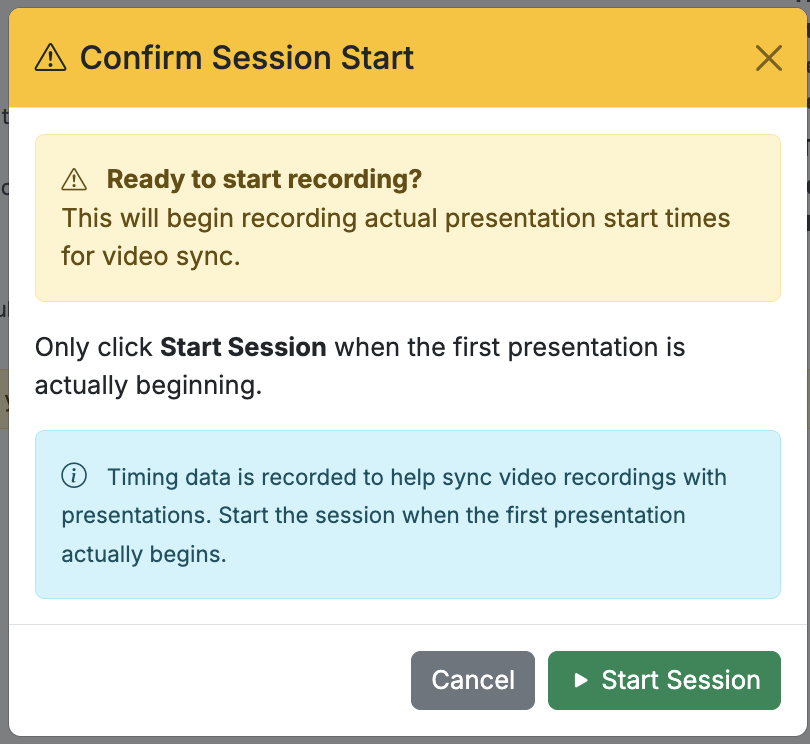
When you are ready to start the session, press the Start Session button and then confirm the start of the session. We use your indications, as moderator, to provide schedule updates in the program. Please try to be accurate with the start of the session and advancing to the next talk.
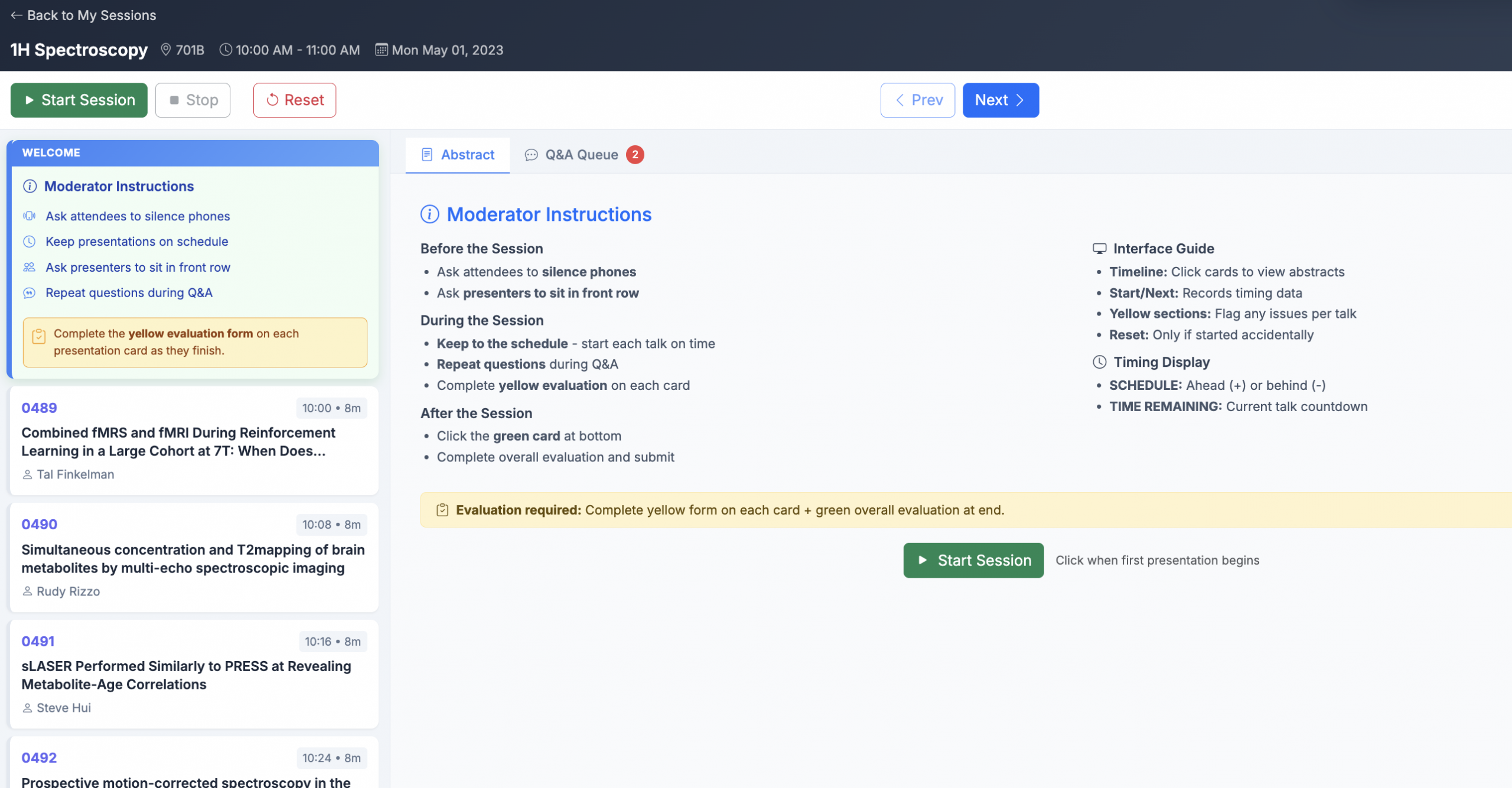
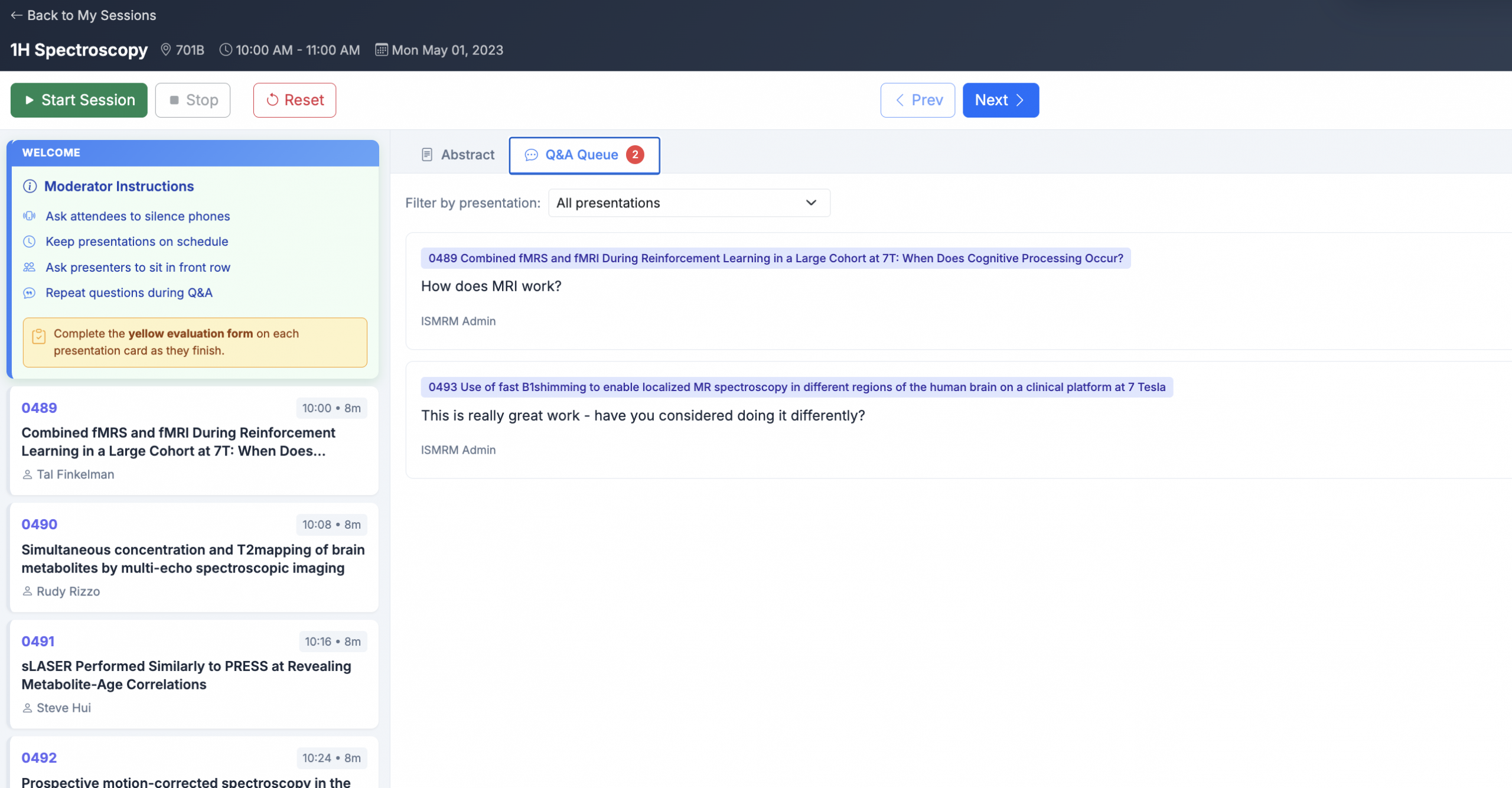
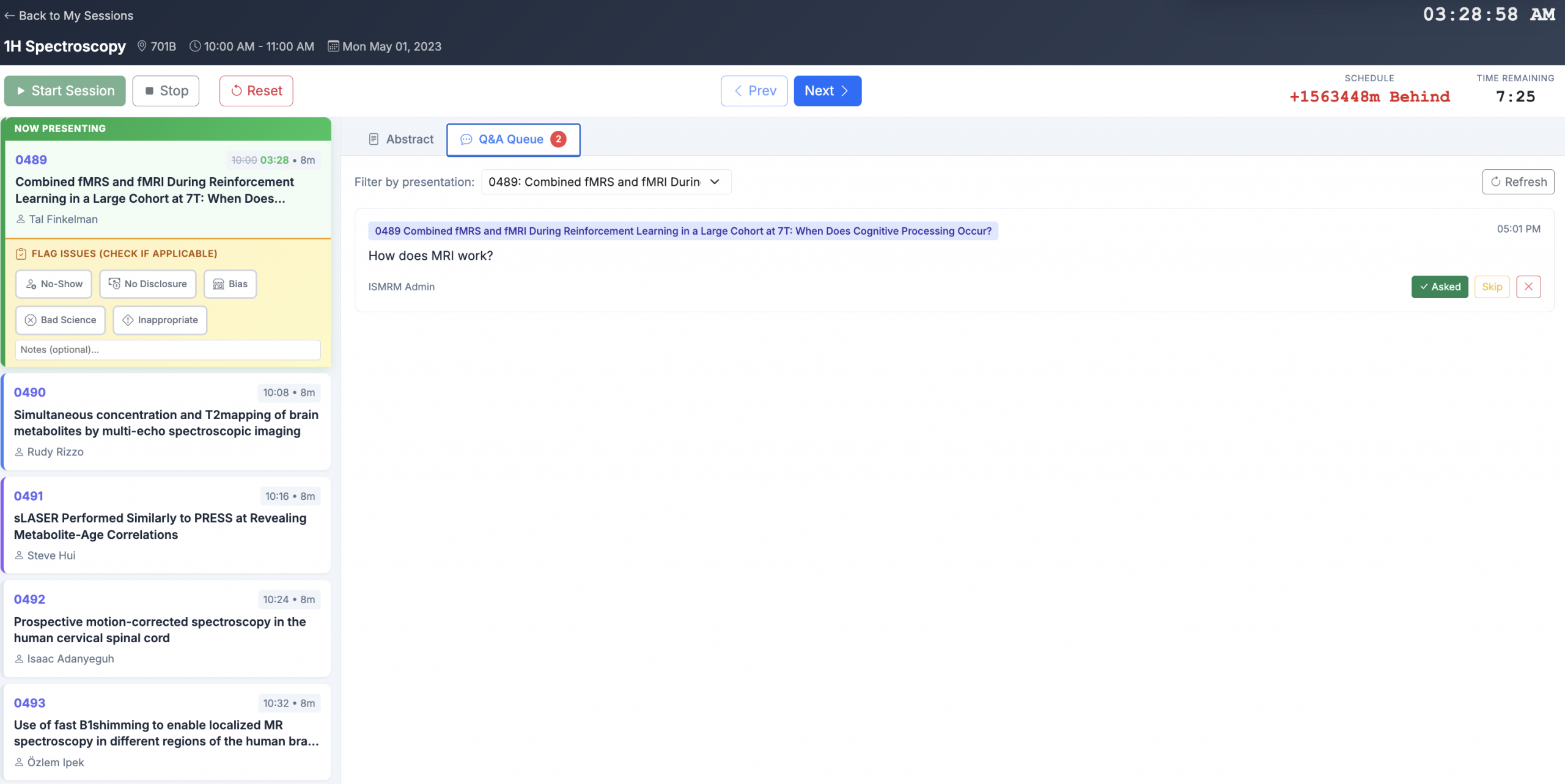
In the session view, you can see the list of talks on the left hand side. On the main portion of the screen there is the Abstract tab and the Q&A tab. The Q&A tab shows the questions that are submitted via ECHO, which can come from virtual attendees and attendees in the session room. Please be sure to look for questions during the session.
This is the moderator view.
This shows the Q&A tab in the moderator view.
Once the first talk is ready to begin, please press the ‘Start Session’ button and then confirm the Start Session.
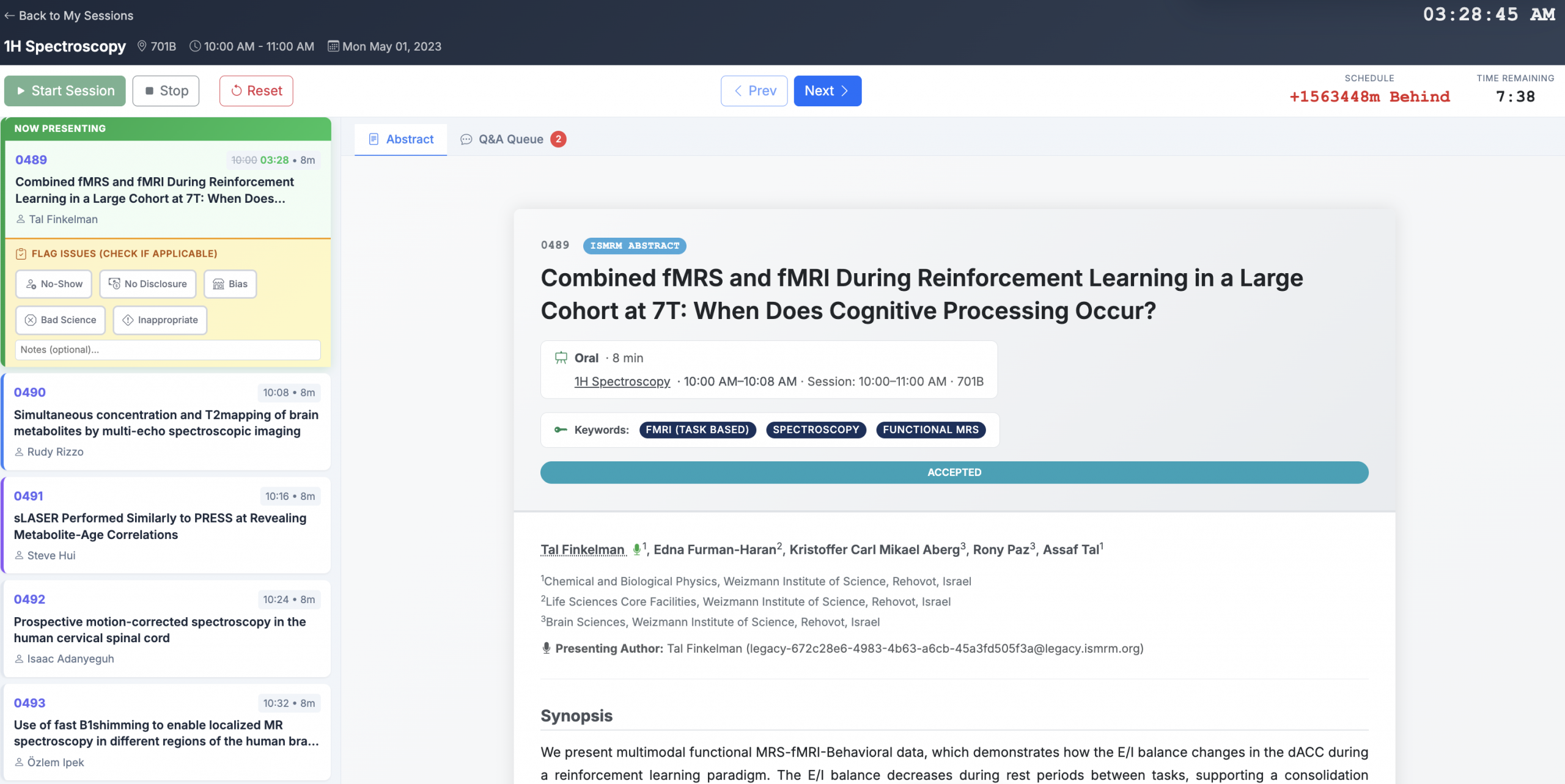
The moderator view will display the abstract for the current talk. It also displays the local time, the time remaining in the talk, and the amount of time behind schedule. (Since these examples are using 2023 data, you can see that we are very far behind schedule! Please try to do better than we did.)
Any questions from virtual attendees and possibly attendees in the session room will appear in the Q&A tab. You can indicate when you have asked a question or if you will skip a question. These tools are to help moderators know which questions remain and which questions have already been addressed.
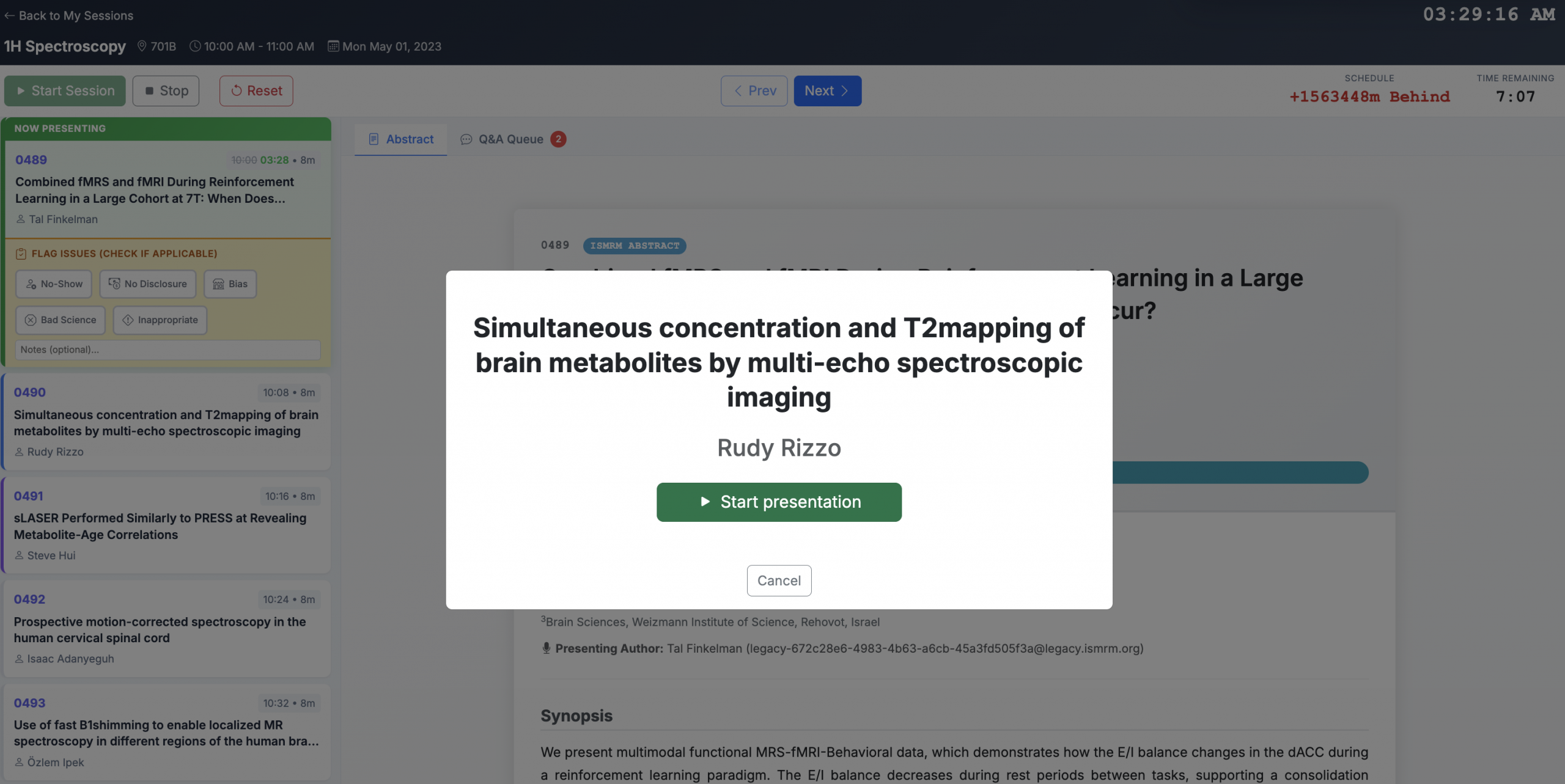
When you are ready to move to the next talk, you will confirm that you are ready for the next talk to begin. Accuracy with these timing tools will assist with the video editing later and with live schedule updates in the ECHO program.
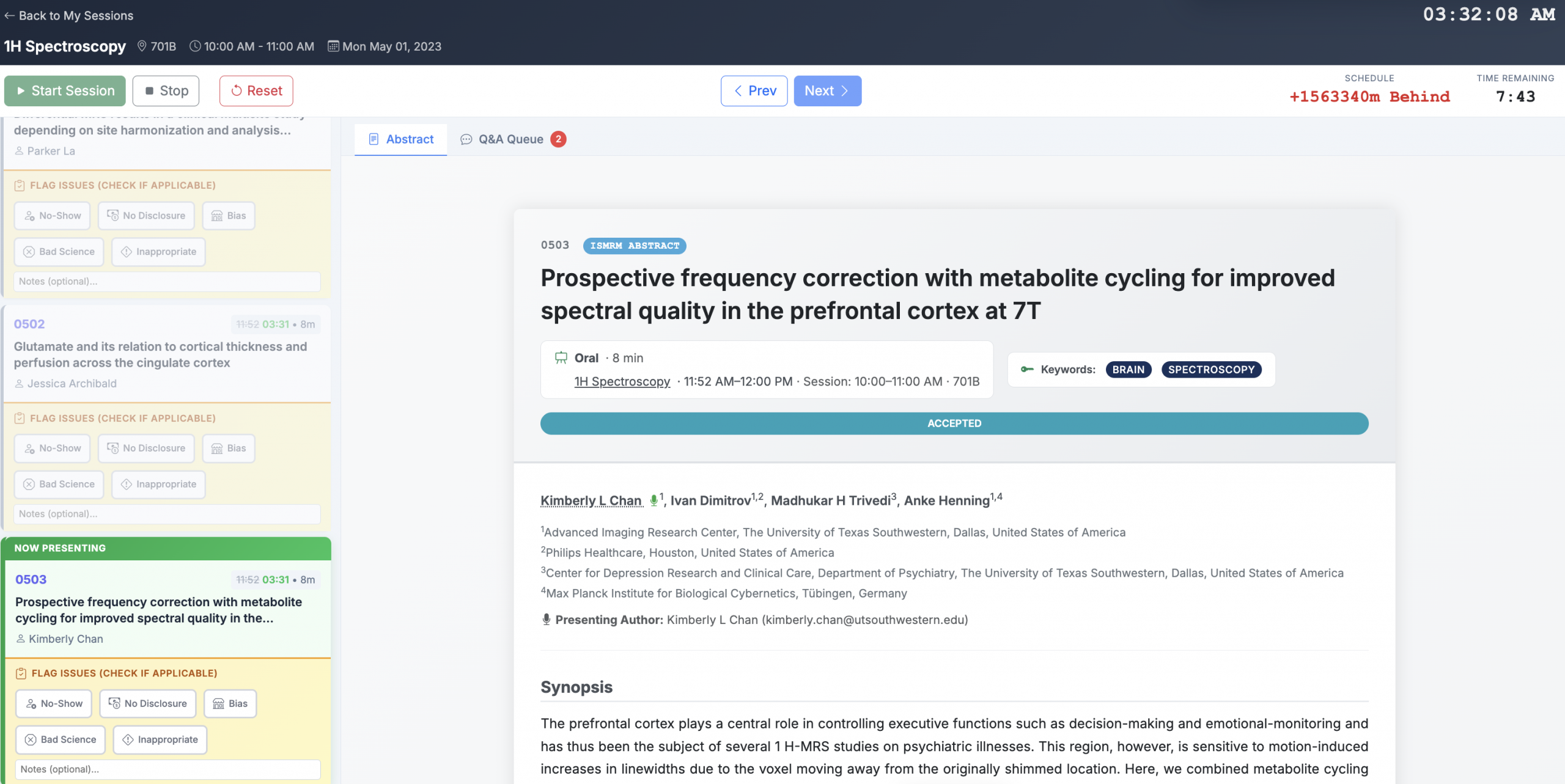
If needed, please flag any issues on a talk. For example, if the presenter did not show or did not present their disclosures. Additional issues that might need to be reported include bias, bad science, or inappropriate material in the presentation.
At the conclusion of the session, please complete the session evaluation. This is required for accreditation.
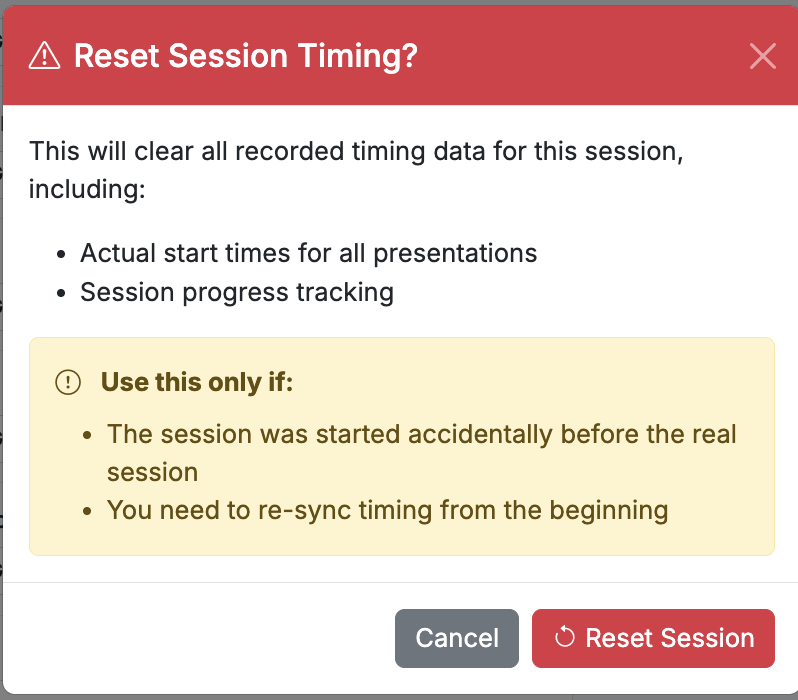
If needed, you can reset the session timing. As noted, this will clear all recorded timing for this session, so please do this only if required.